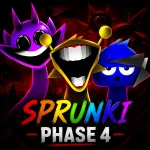
Silence leaves plenty of room for strange ideas, and Sprunki Phase 4 fills that space with eerie characters and unsettling sounds. Each performer carries a different musical role, allowing beats, melodies, effects, and vocals to grow into something increasingly bizarre. Build your own mix and discover what waits beneath every new sound!
HOW TO MIX A SONG IN SPRUNKI PHASE 4
Characters stand ready around the screen, each holding one piece of the next composition. Sprunki Phase 4 lets you place them together and hear their individual sounds connect into layered music. Beats establish movement, melodies shape emotion, and vocals give every arrangement its own strange identity.
Experimentation keeps each session unpredictable. Remove one character, replace another, or rearrange several layers to uncover different musical results. Sprunki Phase 4 changes with every combination as eerie sounds and disturbing visuals react to your creative choices.
Your Mouse Builds the Nightmare
- Mouse Drag: Add sound character
- Mouse Click: Control performer
- Remove Button: Clear sound layer
- Reset Button: Restart mix
Four Sound Roles, Endless Strange Results
- Beats: Establish rhythm beneath your composition.
- Effects: Add strange textures and unsettling details.
- Melodies: Shape each mix's musical direction.
- Vocals: Give compositions an unusual personality.
Horror Is Part of the Composition
Dark characters of Sprunki Phase 4 give the music an identity beyond ordinary beat mixing. Strange sounds, unsettling transformations, and bizarre imagery grow alongside each composition. Every added layer can affect more than music, allowing players to shape both the soundtrack and its disturbing atmosphere.
MORE PHASES WAIT BEYOND THE DARKNESS