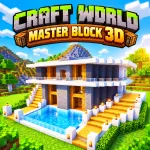
Craft World - Master Block 3D is a 3D voxel sandbox adventure built around creative freedom. Players can shape their surroundings across different environments while choosing the kind of world they want to create. The open-ended format leaves plenty of room for ambitious builds and exploration. Start creating now!
HOW TO PLAY CRAFT WORLD - MASTER BLOCK 3D
World creation in Craft World - Master Block 3D shapes every adventure before construction begins. Three generation types offer standard terrain, isolated island archipelagos, or flat spaces suited to large building projects. 30 unique biomes expand exploration with snowy tundras, dense forests, grassy plains, and tropical coastlines.
More than 300 blocks and items provide materials for building and decoration. Players can explore landscapes, mine resources, place blocks, and arrange structures across their chosen world. The eight-slot hotbar keeps selected materials accessible, while the full inventory opens the broader collection for bigger creative projects.
Master Every Building Input
- WASD/Arrow Keys: Move around
- Left Shift: Run or fast fly
- Spacebar: Jump or fly upward
- Left Mouse Button: Mine blocks
- Right Mouse Button: Place blocks
- Q: Open inventory
- 1–8: Select hotbar slots
- [E]: Interact
- [R]: Change camera view
Rise Above Your Blocky World
Craft World - Master Block 3D gives builders extra freedom through flight and visual customization:
- Flight Mode: Reach elevated builds from different angles.
- Fast Flying: Cross larger areas with quicker aerial movement.
- Starting Skins: Choose Steven or Sandy from the beginning.
- Outfits: Earn unusual costumes through rewarded video ads.
- Characters: Dress up as hackers, firefighters, singers, zombies, and more.
EXPLORE OTHER SANDBOX WORLDS